Kashew
An expense tracker that logs itself.
Typing in every expense never lasts. Kashew makes it effortless: log cash in one tap or by saying "50 chai", and, if you like, let it read your bank texts so card and UPI payments add themselves. No account, no internet.
The app is ready; the download goes up here shortly.
Everything it does, in plain words.
An expense tracker that logs itself. Bank and UPI payments are read from SMS, and cash takes one tap or a sentence like "50 chai".
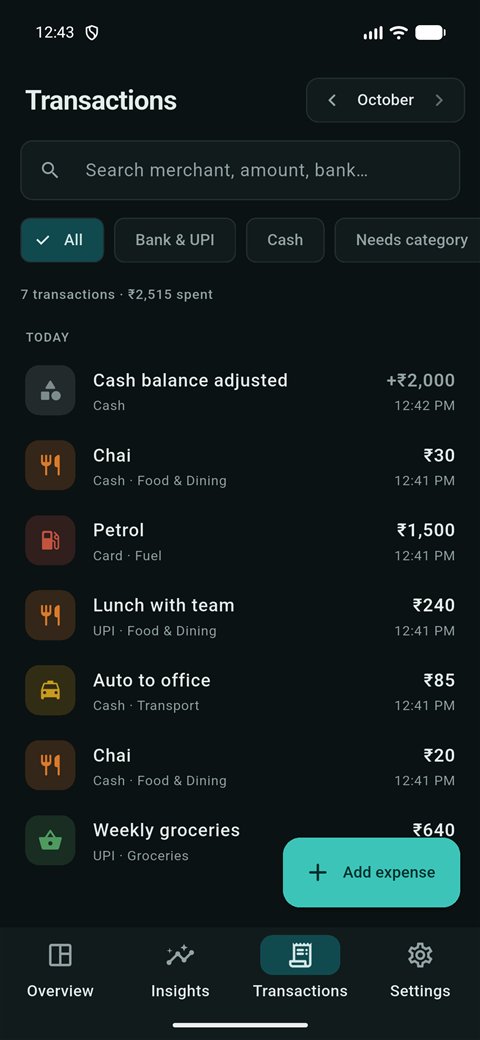
Your bank already texts you about every payment. The Auto-SMS version reads those texts on your phone and files each one: amount, shop and account.
Say it, it's saved
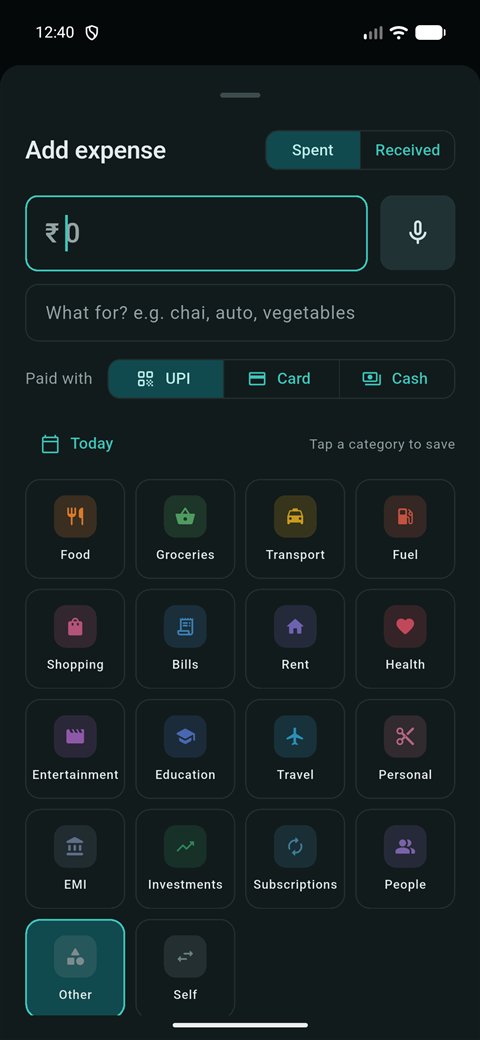
Say or type "spent 2k on groceries" and the amount, note and category fill in.
Only real payments
OTPs, reminders, failed payments and duplicates are skipped automatically.
Cash counts too
ATM withdrawals fill your cash wallet, so even cash you forget to log still shows up in the month.
banks
Bank and card texts it understands.
Free, no ads
No account, no internet.
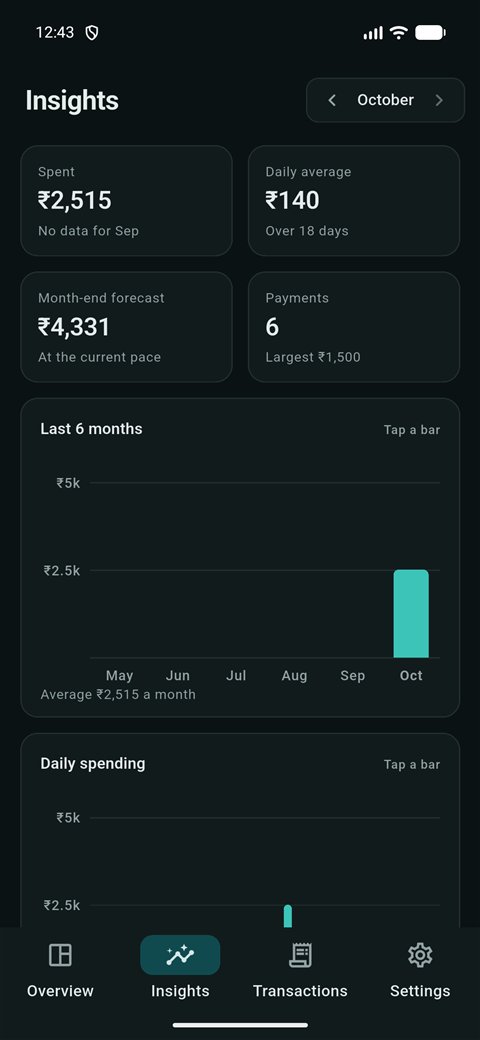
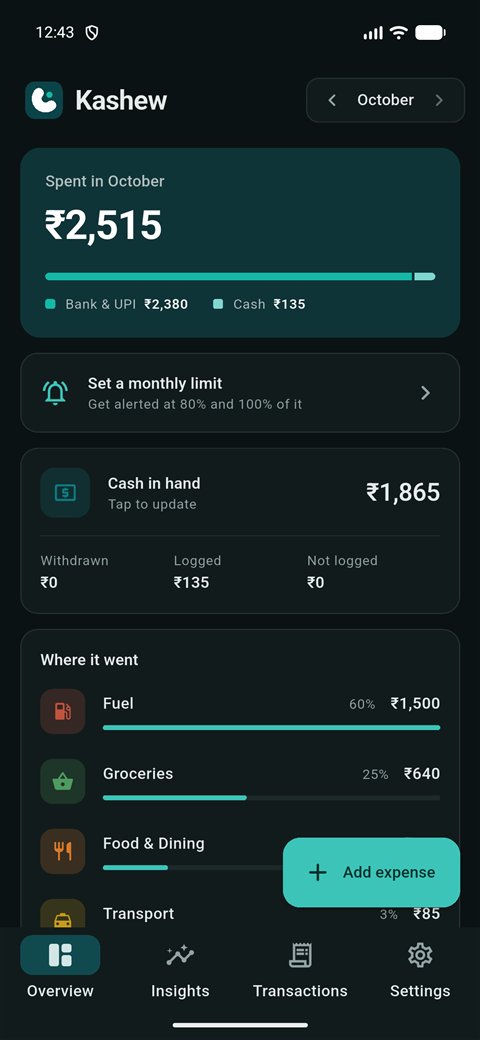
See it in action.
Real screens from the app.
Install it in a minute.
Kashew isn't on the Play Store yet, so you install it straight from here.
Your phone saves the file like any other download.
Android asks once if your browser may install apps. Tap Settings, turn on "Allow from this source", then go back.
Open the downloaded file and tap Install. Kashew appears on your home screen.
Questions
Which version should I get?
Start with the standard one: it installs normally and you log spending by tap or voice. Get the Auto-SMS version if you want card and UPI payments added for you from your bank texts. You can switch later and keep your data.
Is my data safe?
Everything stays on your phone. There is no account and no server, and the app can't go online.
What happens if I uninstall it?
Your data is deleted with the app, because there is no cloud backup yet.
Does it work on iPhone?
No. iPhones don't let apps read bank texts, so Kashew is Android-only.
For developers
- Parses messages from about 45 banks and skips OTPs, mandates, collect requests and failed payments
- Removes duplicates by UPI reference, and treats card-bill payments as transfers so nothing counts twice
Get Kashew.
Free, and made with care in Kolkata.
Download coming soon …